


- 1. Use Google Search
- 2. Use AI Tools (ChatGPT, Claude, Gemini)
- 3. Break a Topic Down Into Subtopics
- 4. Use Google Trends
- 5. Try a Topic Research Tool
- 6. Get Ideas From Reddit
- 7. Read Comments and Online Communities
- 8. Use Answer the Public
- 9. Analyze Your Competitor's Websites
- 10. Use YouTube Search
- 11. View The Content of Online Courses
- 12. Review Your Google Analytics Reports
- 13. Use Google Search Console
- 14. Try Ubersuggest
- 15. Repurpose One Idea Into Many Formats
- 16. Keep a Content Idea Bank
- Key Learnings


Disclaimer: This post contains affiliate links. I earn a commission if you make a purchase at no extra cost to you.
One of the most time-consuming parts of content marketing is finding new content topic ideas to target in your blogs, discuss in your videos, or post on your social media channels.
If you publish one or two pieces of content per week, that’s not an issue, but if you plan to scale your content marketing, you need a way to generate new ideas quickly.
Searching Google for ‘how to find content topic ideas’, you’ll get a list of articles offering 30, 40, or 100 ways to find ideas, but you don’t need that many. If you try to follow all the suggestions, you may end up losing your time.
In this guide, I’ll walk you through 16 efficient and easy ways to find fresh content topic ideas for your blog, videos, and social media posts. They fall into three groups: listening to your audience, using search and AI tools, and making more of the ideas and data you already have. This is how I find new ideas for my own blogs.
1. Use Google Search
One of the best tools to come up with content topic ideas is Google. Sometimes this is all you need to find new topics for your content marketing.
Google Search Suggestions

Go to Google.com and start typing your main topic keywords. As you type, you’ll notice that Google makes recommendations. Finish writing your main topic idea, for example, “Content marketing,” and then start typing letters from the letter ‘a’.

This will give you a combination of topics, including your main search terms and other popular keywords.
Google “People Also Ask”
For most topics, people use Google to ask questions, and Google wants to rank websites that provide answers to user’s questions.
The best way to use this feature is to try a combination of related searches and spot common topics in the “People also ask” section.
For example, if you search for ‘content marketing’ related terms, you’ll notice that in the questions, people ask ‘strategy’ related questions like “How to create a good content marketing strategy”, “What is a good content strategy,” and many others.
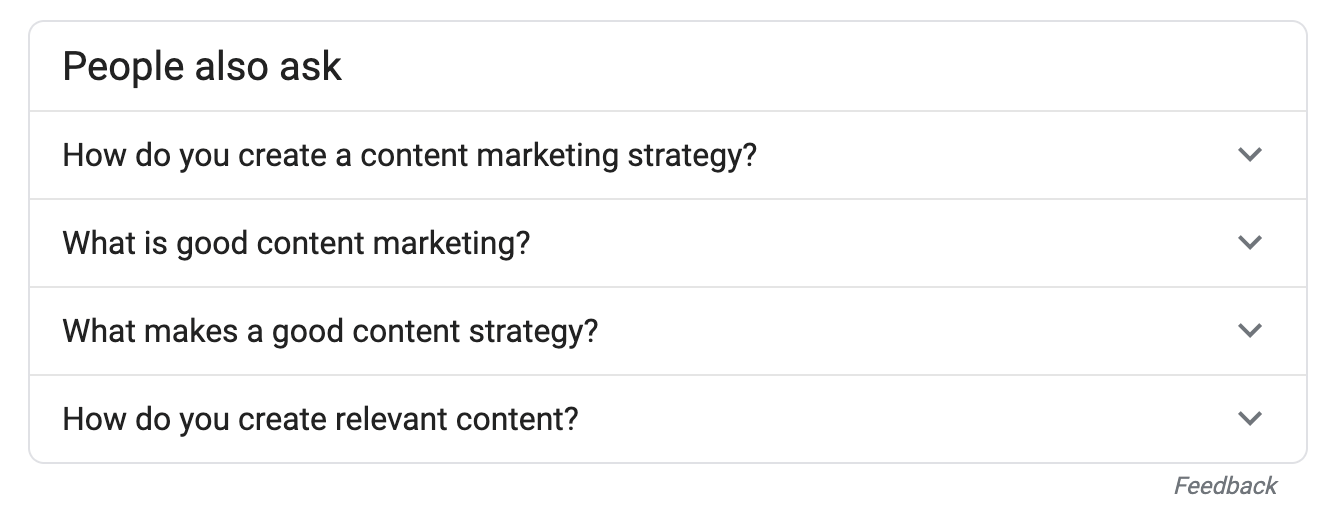
This is a good hint that ‘content marketing strategy’ is a good topic to cover in your blog, either as a pillar article or through topic clusters.
Google “People Also Search For”
The "People Also Search For" section, located at the bottom of the page, shows you topics related to your search.
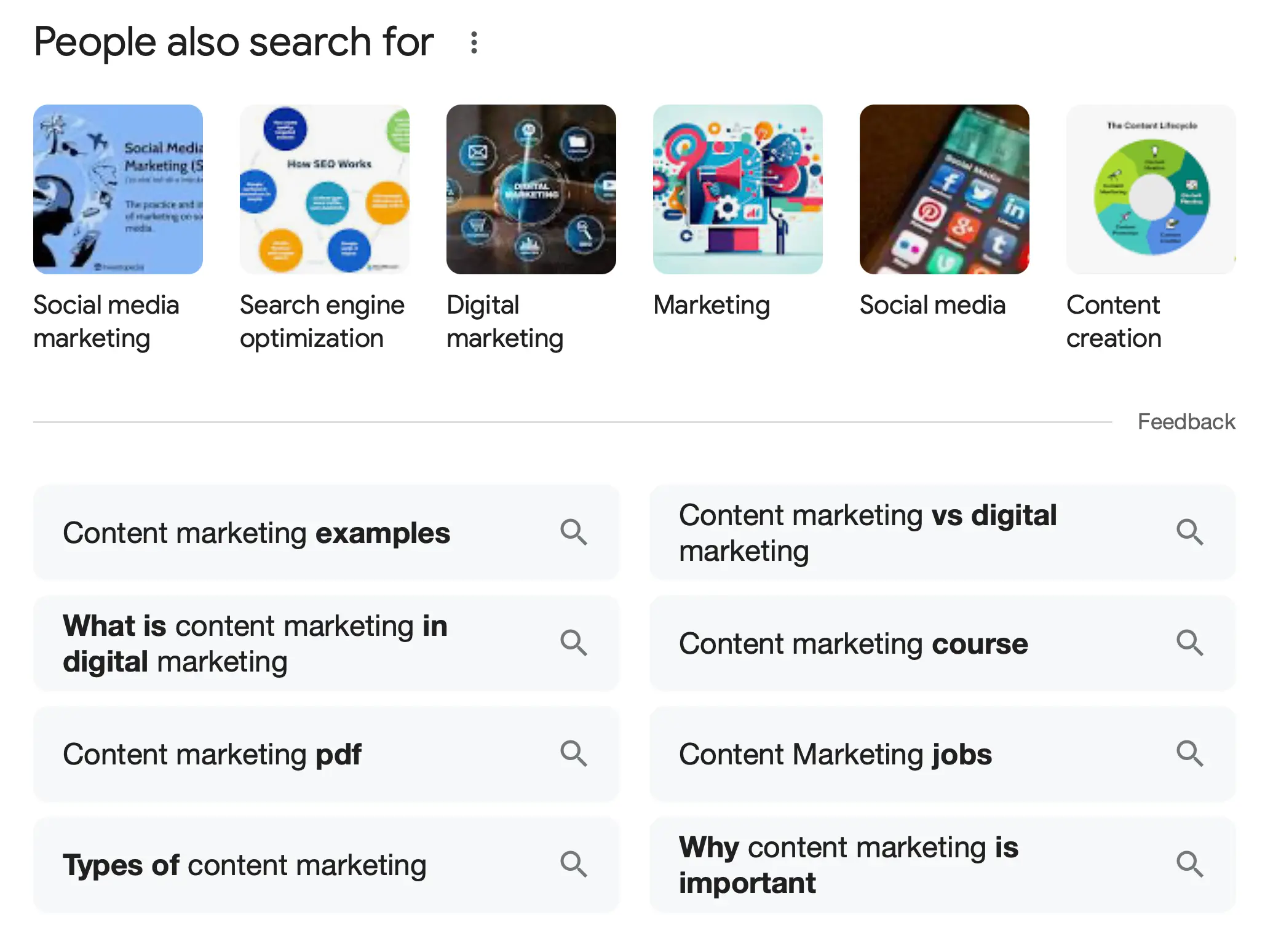
For example, for “content marketing,” a related topic is “content writing,” so if you are already writing about content marketing, you can further expand your content by providing more content on content writing.
2. Use AI Tools (ChatGPT, Claude, Gemini)
AI assistants like ChatGPT, Claude, and Gemini are fantastic tools for quickly generating fresh content topic ideas. The problem is that if you ask a generic question, you get the same generic ideas as everybody else. To avoid that, do this:
Start by giving the AI a list of topics you already have on your website (your blog titles) and ask it to generate ideas not already covered in your blogs. For each idea, ask it to list the suggested title and target keyword.
Here is the prompt to use:
Here is a list of topics already covered on my blog: [insert your blog titles]. Suggest 10 new blog post ideas that are not on this list. For each idea, provide a title and a target keyword.
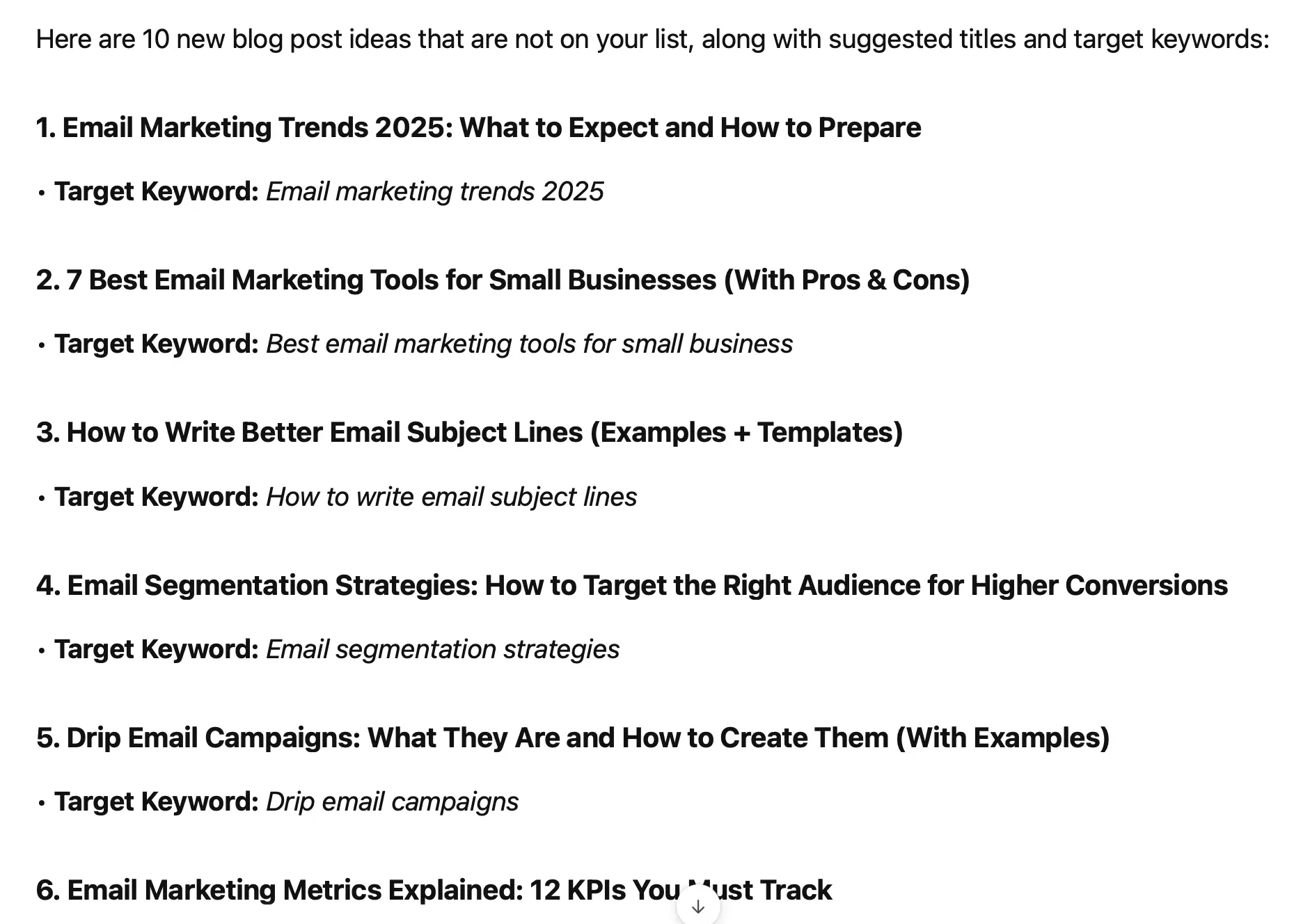
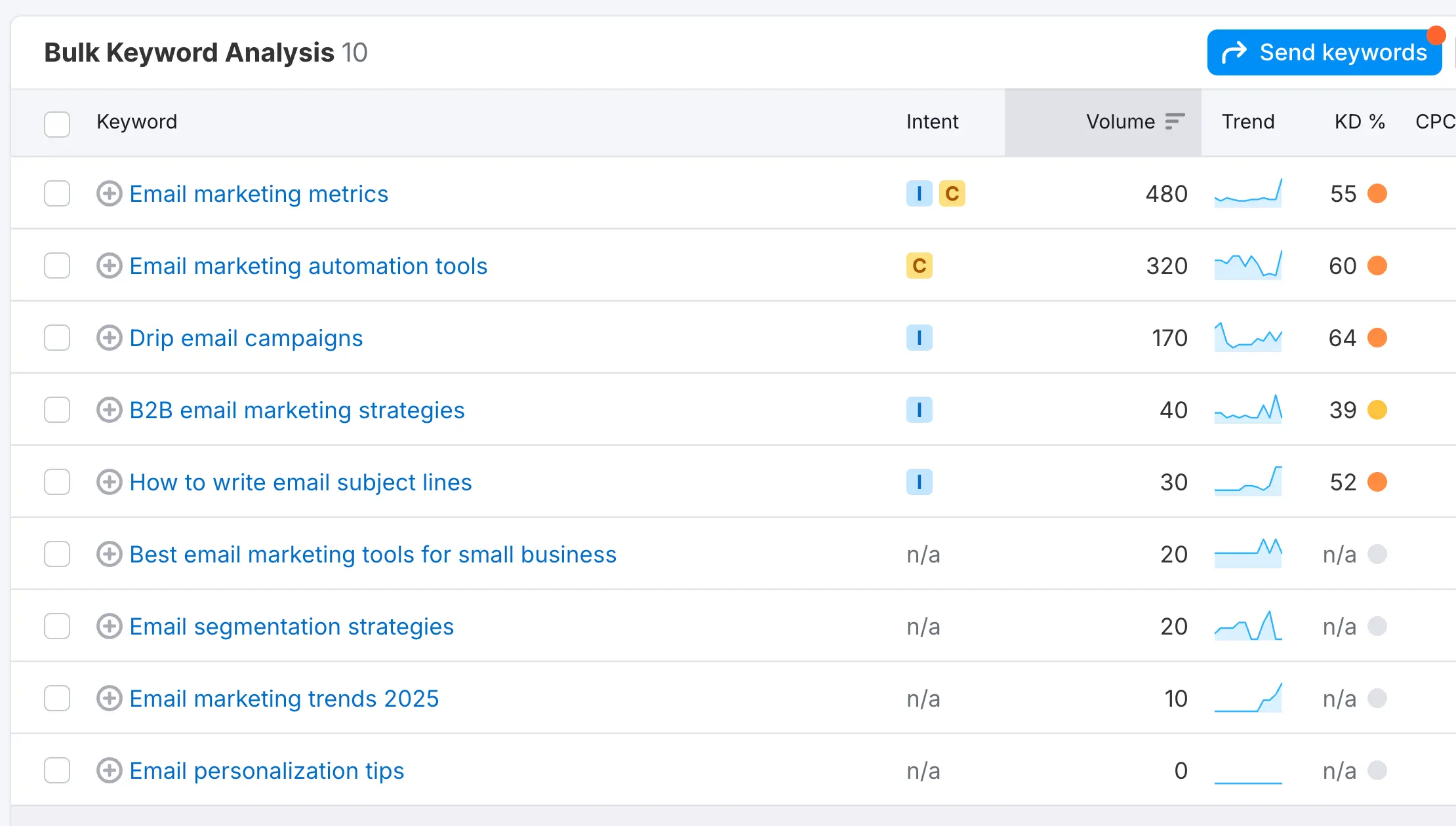
Once you have a list of ideas, validate them using Semrush to ensure they have search potential. Enter your keywords into Semrush’s Keyword Magic Tool to check search volume, keyword difficulty, and search intent.
Which AI tool is best for content ideas?
Any of the leading AI assistants will do the job. What makes the difference is the context you give it: your niche, your audience, the topics you already cover, and the format you want (blog posts, videos, or social media posts). Dedicated content idea generators are faster to use, but they give you less control. Whichever tool you use, treat the output as a starting list, not a final plan, and check every idea against real search and audience data. For ready-made prompts, see our list of the best ChatGPT prompts for marketing.
3. Break a Topic Down Into Subtopics
One big topic can give you dozens of content ideas if you break it into smaller pieces. A simple way to do it is to take your main topic and answer three questions:
- What is it made of? List the parts, steps, tools, or skills that make up the topic.
- What do people want to know about it? List the questions beginners and experienced people ask: what it is, why it matters, how much it costs, which option is best.
- How do you get started? List the first steps, the common mistakes, and the resources someone needs.
Each answer is a content idea, and each idea can be broken down again.
For example, take “email marketing”. It is made of list building, email copywriting, automation, and analytics. People want to know how much it costs, which email marketing tool to use, and how often to send emails. Getting started means choosing a tool, creating a sign-up form, and writing a welcome email. That is already ten content ideas from one topic.
Draw it as a mind map on paper or in a free mind-mapping tool, with your main topic in the middle and the ideas around it. It also gives you a ready-made structure for a pillar page and its supporting articles.
4. Use Google Trends
Google Trends is a great tool for researching topics and ideas, but unfortunately, not many people use it. In some ways, this is good because it gives you an advantage over your competitors.
The main reason to use Google Trends is to find trending topics related to your niche. This is not a tool for thorough keyword research, but it can give you some hints of what ‘broad topics’ are being searched on Google.
Although the tool is easy to use, you need to try a combination of searches to make something out of it.
As a first step, go to Google Trends and type your main topic.

You’ll notice that for most searches, Google offers you two options “search term” or “topic”. These two produce different results, so you’ll have to try both.
Start with “search term” and then repeat the process for “topic”.
Once you click Search, you’ll see several options to narrow down your results. You can select a specific region, time period, category, and type of search (Google, YouTube, Image search, etc.).
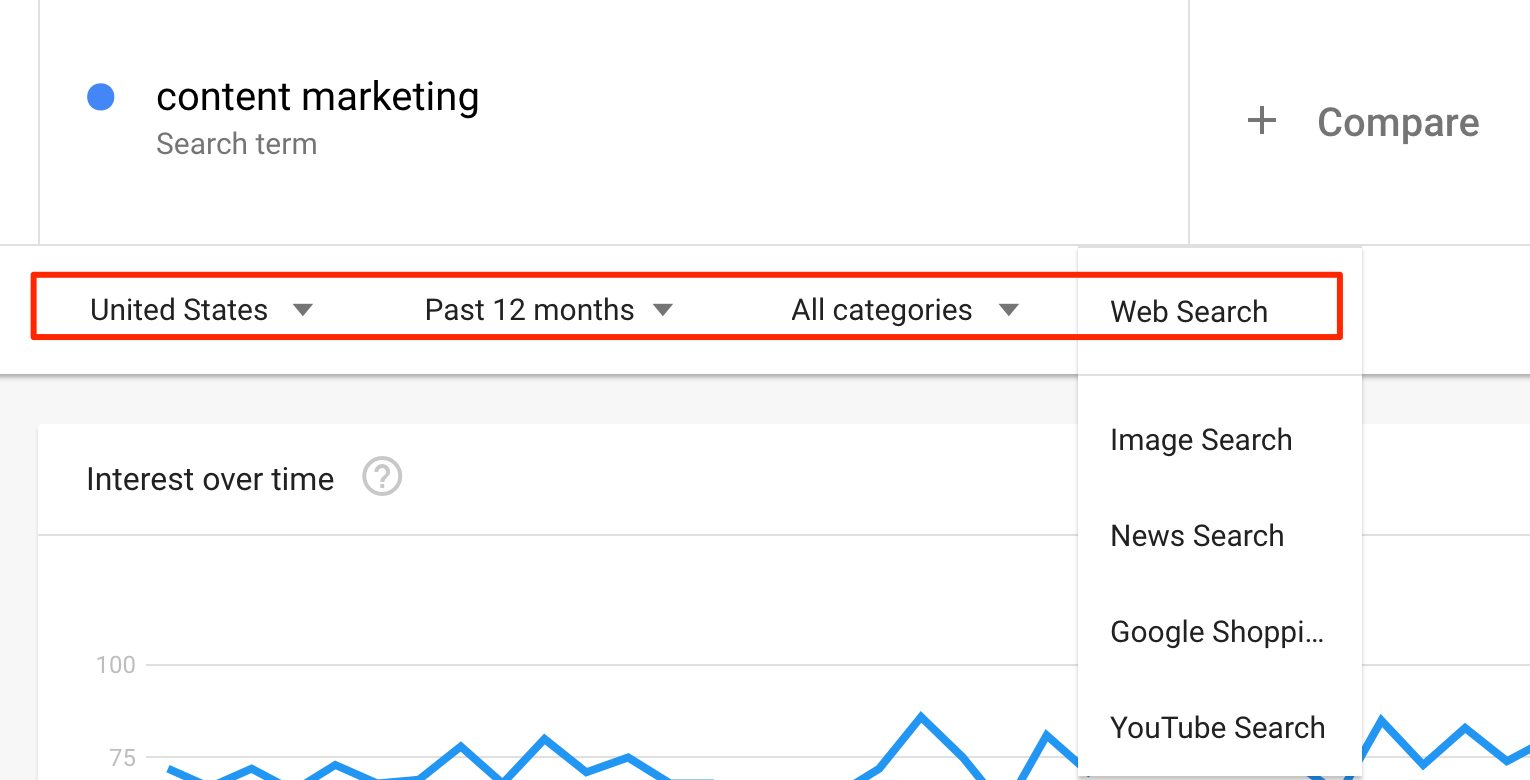
Select the filters that are most relevant to your business and niche, and scroll to the bottom of the page.
What you want to explore more is the RELATED QUERIES section.
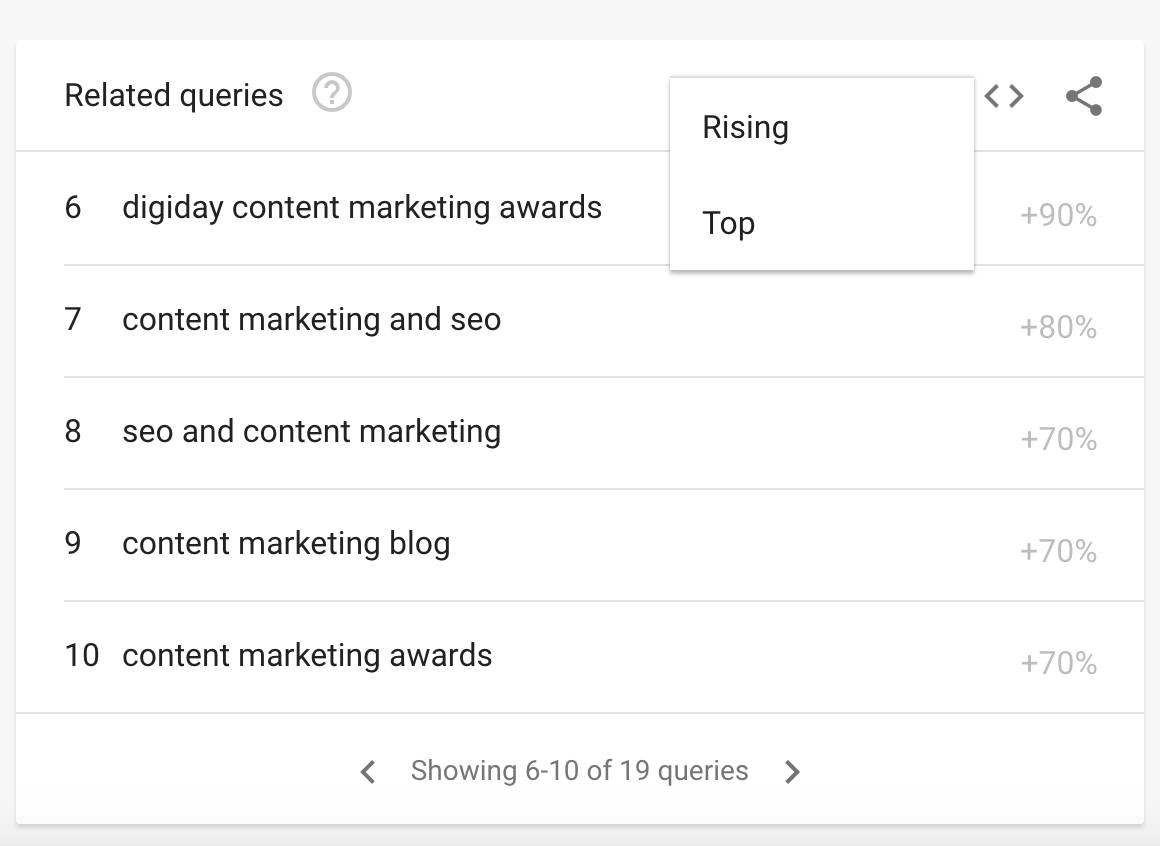
Use the left and right arrows to view all the results, and use the top menu dropdown to view both the RISING and TOP Queries.
Spot the queries that are relevant to your website and go back to Google search to find what kind of content Google shows for that topic.
Using that as your base, you can then perform thorough keyword research to find SEO keywords and long-tail keywords to use in your blogs.
5. Try a Topic Research Tool
Using a tool like Semrush can help you tremendously speed up the process of finding new content topic ideas. Keyword research tools combine data from a number of sources so you don’t have to do the process manually.
Semrush has a built-in feature for Topic Research. You can use it to find content ideas based on search terms or based on a website (your own website or a competitor’s website).
Login to Semrush and select TOPIC RESEARCH from the left menu.
Type in your main topic and click GET CONTENT IDEAS.
Semrush will show you everything you need to know about the particular topic, including:
- Related topics
- Most popular headlines on the topic
- Questions people ask related to the topic
- Related searches and a lot more useful information
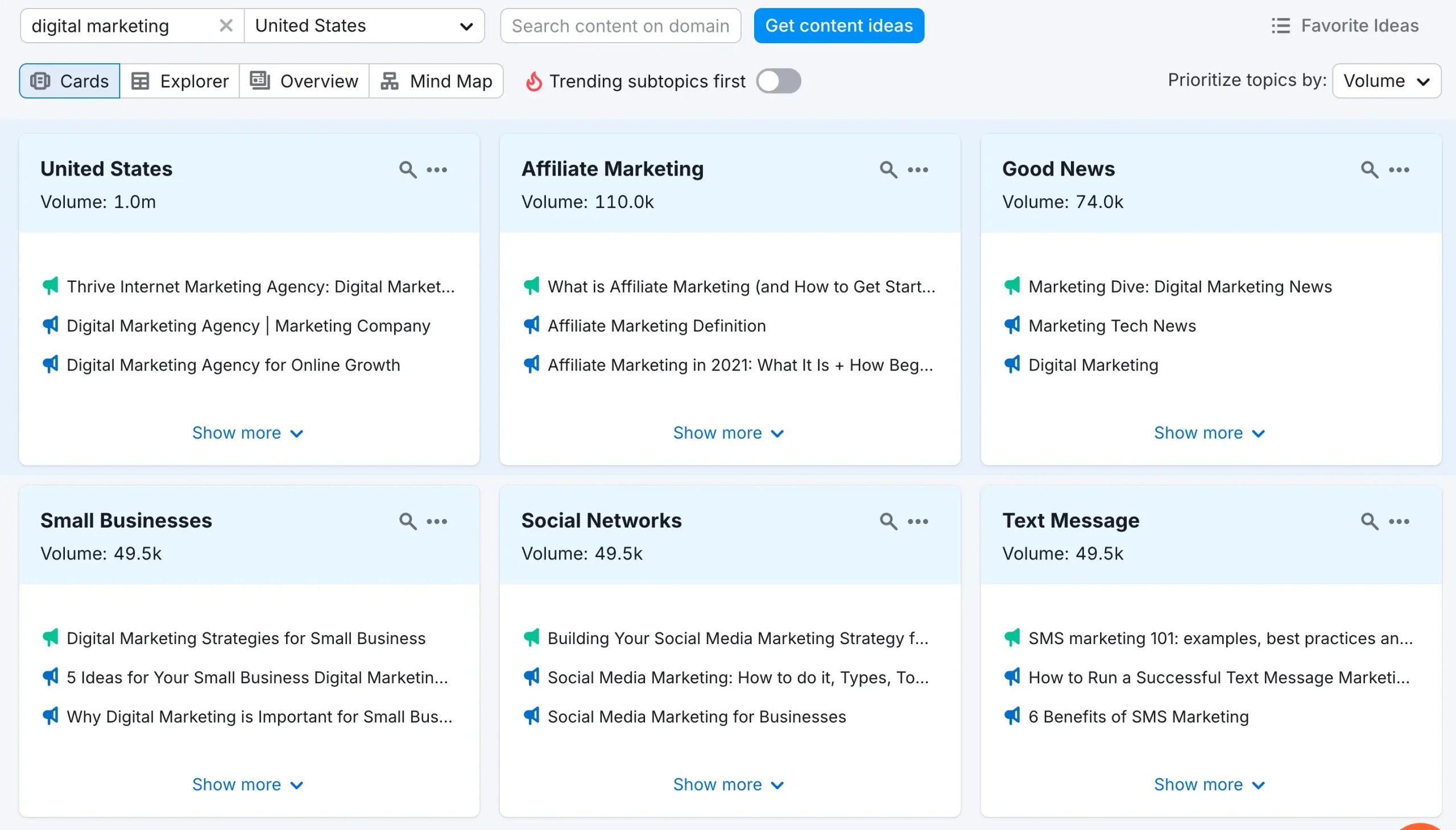
The information is organized in a very easy-to-use interface. There is also a “mind map,” which is a nice visual representation of all the topics related to your main idea.
You can click on any idea to drill down more and see which pages are currently ranking in Google for that topic, which keywords are used, and other information.
Content Marketing Courses - Semrush offers several free courses that explain how to use the topic research tool in detail. The courses are listed here.
6. Get Ideas From Reddit
Reddit is a goldmine for discovering new content ideas because it’s filled with real conversations and questions from your target audience. Here’s how to use Reddit effectively for content inspiration:
Find Relevant Subreddits - Start by searching for subreddits related to your niche. Use the Reddit search bar or Google with the query: “best subreddits for [your niche]”
For example:
- If you’re in digital marketing, try r/SEO, r/DigitalMarketing, or r/Entrepreneur.
- For fitness content, check r/Fitness, r/bodyweightfitness, or r/nutrition.
Look for Popular Discussions and Common Questions - Sort posts by Top or Hot to see what’s getting the most engagement. Pay attention to posts with a lot of upvotes or comments, as they often highlight topics people care about.
For example, a Reddit thread titled “Why is my organic traffic dropping?” could inspire a blog post: “7 Reasons Your Organic Traffic is Declining and How to Fix It”.
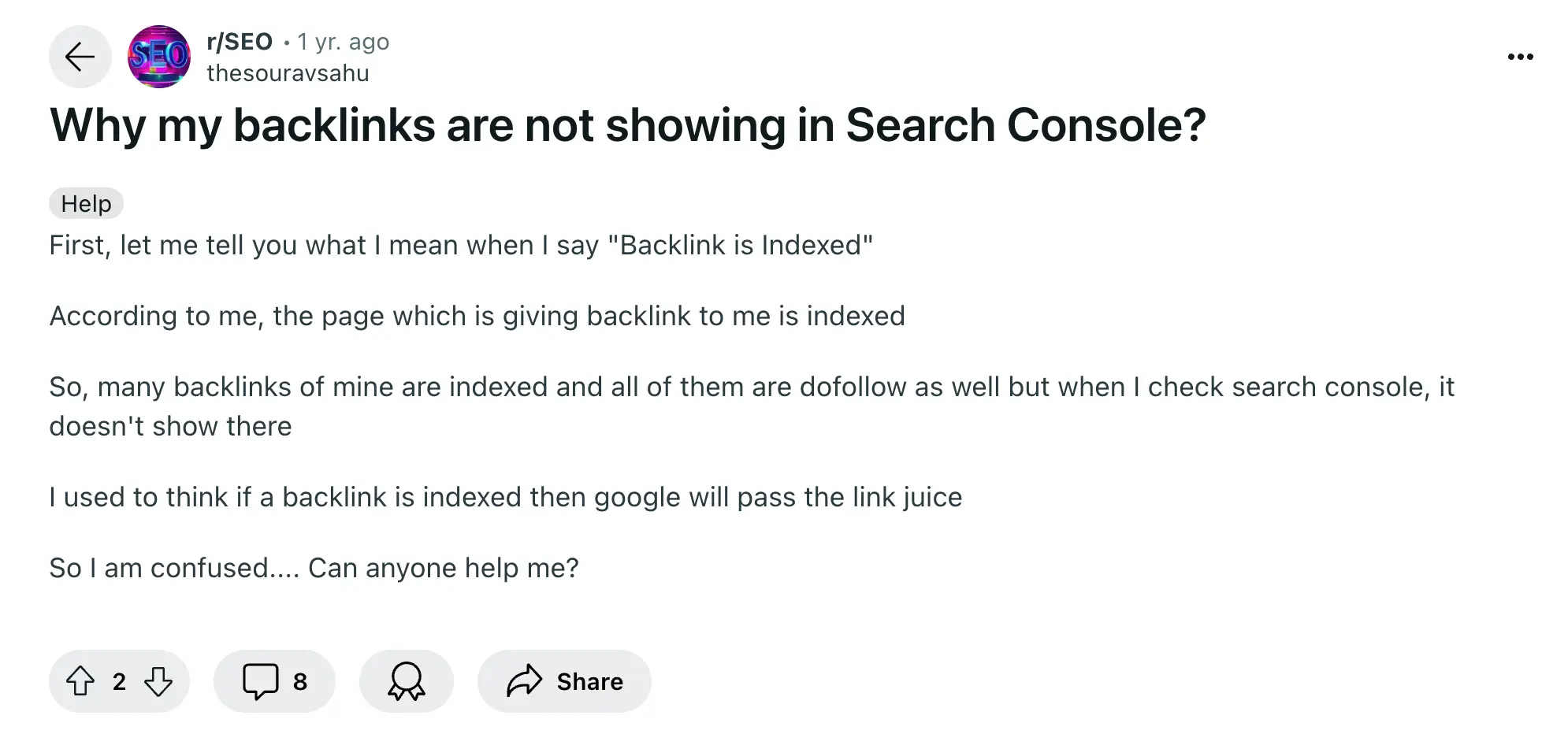
Use Reddit’s Search Function for Specific Topics - Search for questions using keywords like “how to,” “best way,” or “why” plus your topic.
For example:
- Search “how to get backlinks site:reddit.com” on Google for discussions on backlinks.
- Look for AMA (Ask Me Anything) posts, where experts answer audience questions. These can be great for FAQ-style content ideas.
Collect Content Ideas From Comments - The comments section is often more insightful than the post itself. Users share experiences, problems, and solutions, which is perfect material for high-engaging blog posts.
For example, if people keep asking how to recover from a Google penalty, write: “Google Penalty Recovery: Steps to Regain Your Rankings”.
After collecting potential topics, don't forget to check their search potential. Enter the keywords you found in your keyword tool to see search volume, related topics, and keyword difficulty scores.
7. Read Comments and Online Communities
Reddit is not the only place where your audience talks about their problems. Comments and online communities show you the exact questions people have and the words they use to describe them.
Read the comments on popular content - Open the most popular YouTube videos, TikToks, Instagram posts, and blog posts in your niche and read the comments. Look for questions that come up again and again, and for things people say the creator didn’t explain well.
Search communities for problems - In Quora, Facebook groups, LinkedIn groups, and niche forums, search for phrases like “I’m struggling with”, “how do I”, or “what’s the hardest part of” plus your topic. Each problem is a content idea.
Ask your own audience - Run a quick poll on social media, ask in your newsletter, or read the questions your customers send you. Questions from your own audience are the ideas most likely to work for you.
Read newsletters in your niche - Subscribe to the best newsletters in your industry and note the topics, case studies, and resources they highlight.
8. Use Answer the Public
Another popular tool for researching content topic ideas is Answer the Public.
Answer The Public does not have all the functionality of Semrush (Semrush is a full digital marketing platform), but it does a good job for content marketing research.
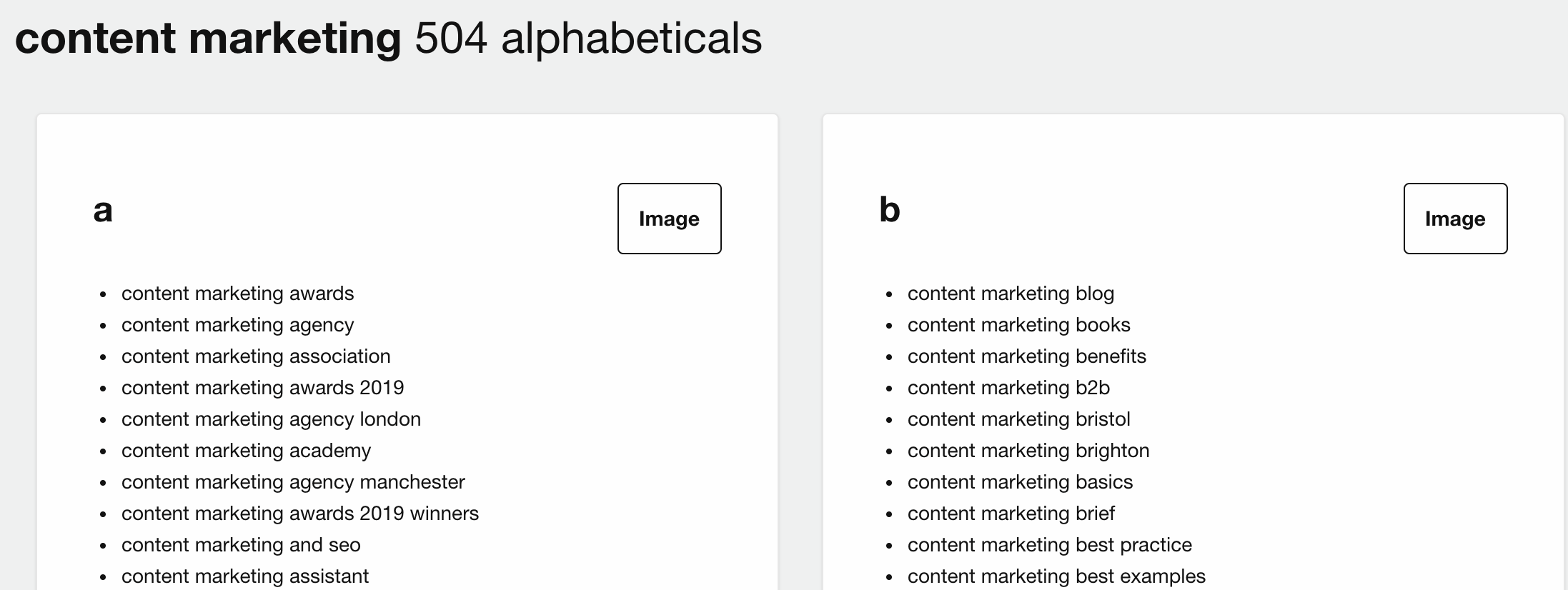
When you search for a topic, results are grouped into:
- Questions
- Prepositions
- Comparisons
- Alphabetical
- Related
The tool combines data from several sources and groups the related data together. It also simulates the Google and Bing autosuggest feature (as described in step 1), so you don’t have to repeat Google searches using different combinations manually.
The free version of the tool allows you to perform a few searches per day and download the data into CSV files, while the paid version gives you many additional features like:
- Unlimited searches
- Ability to compare data for different periods (a handy feature to spot trends)
- Location-based results
- Saved Reports
9. Analyze Your Competitor's Websites
To find content topic ideas in competitive niches, you can spy on your competitors. They probably have already done the hard work, and you can take advantage of that.
There are two ways you can use a competitor’s website to find new content ideas:
First Way: Examine their website in detail, especially their blog. Look at the topics they cover in their articles or YouTube Channels and use any of the above methods to find similar ideas you can also target.
Your goal is not to replicate their publishing schedule as is but to use it as your main source to find ideas relevant to your website and users.
A good way is to register on their newsletter or use a service like Feedly to get notified whenever they publish new content on their website.
Second Way: The best way to find out what topic ideas work great for your competitors is to analyze their content and rankings using a tool.
I use Semrush for this task, but any other tool (like Ahrefs, Ubersuggest, or Moz Keyword Explorer) can do the job.
Using a tool, you can find out which topics have high rankings and which posts actually drive traffic to their websites.
The process is simple: Enter their URL into the tool, and then visit the ORGANIC SEARCH report.
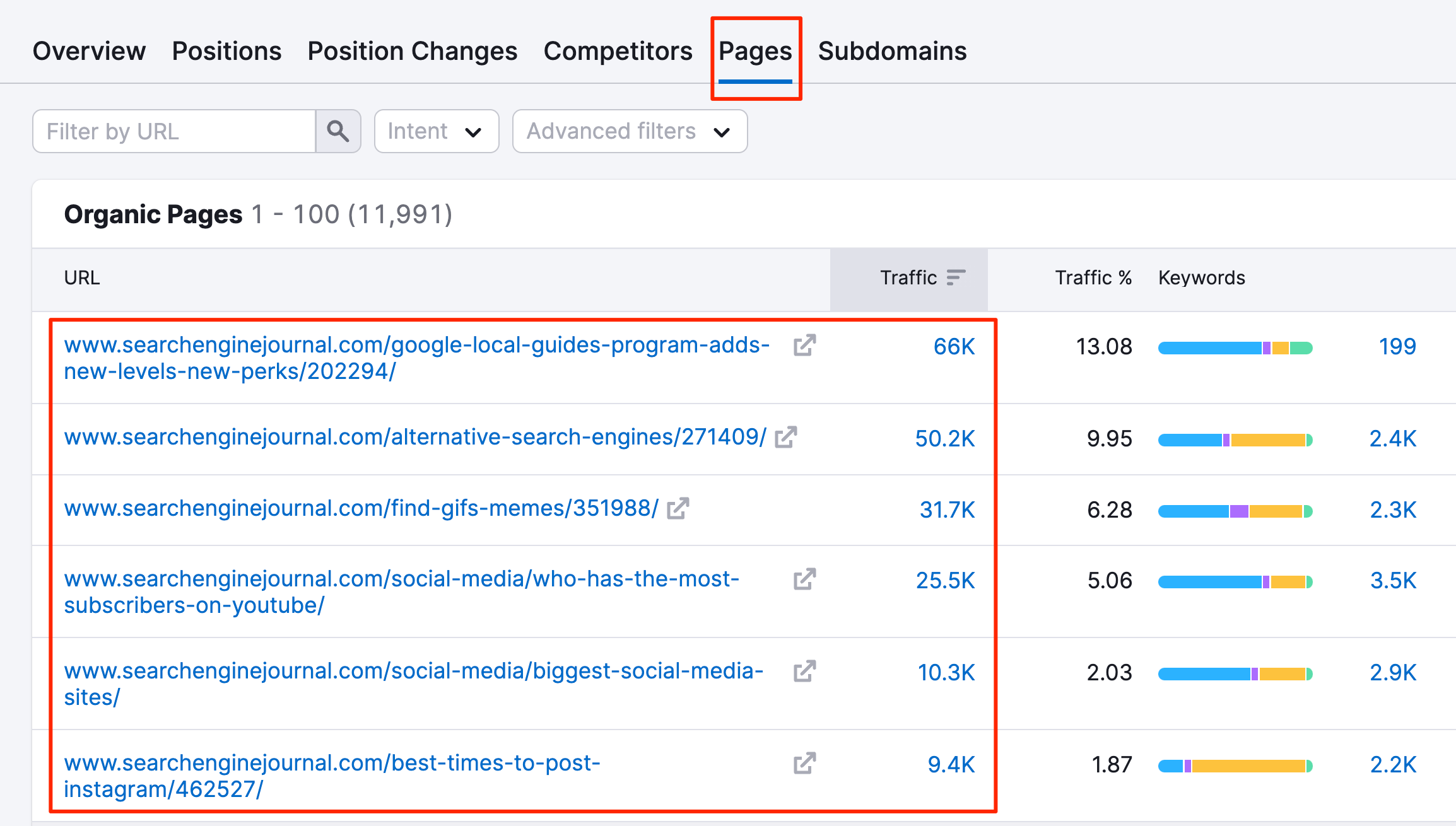
This report shows you all the keywords they are targeting, together with other useful information like the ranking position, traffic, keyword difficulty, and SERP features.
You can use advanced filters to narrow down your research and concentrate only on keywords that generate a decent amount of monthly traffic for the website.
Hint: You can use this feature to analyze the whole domain or a particular page. Find their top ranking pages and do a detailed page analysis to find keyword opportunities.
If you’re a Semrush user, you can also use the KEYWORD GAP report (located under GAP ANALYSIS in the left menu) to quickly find out which keywords you have in common and for which keywords they are ranking and you are not.
10. Use YouTube Search
YouTube is one of the most used search platforms in the world, and people use it to learn how to do almost anything.
Because of YouTube's nature, people tend to ignore it when it comes to content research, but it can give you many useful insights into what topics people are interested in.
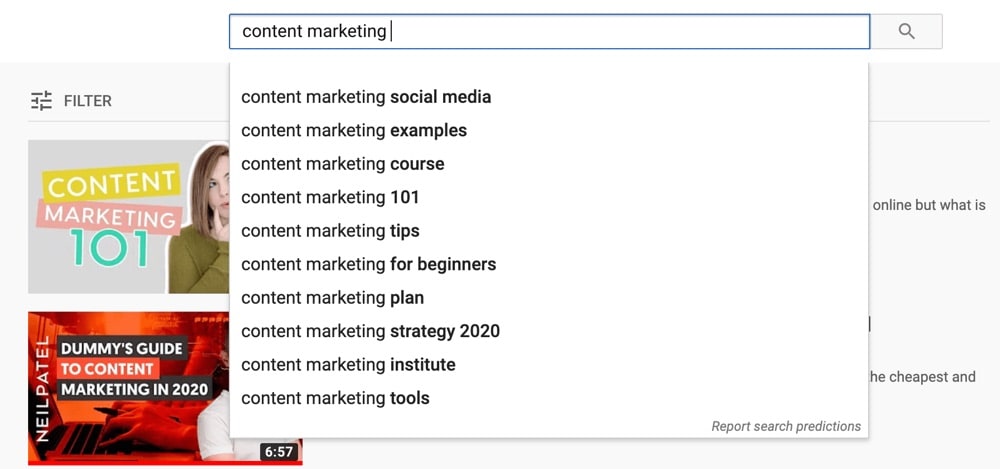
The process is similar to Google Search (step 1). Go to YouTube, start typing different terms in the search box, and notice the suggested topics.
Analyze the videos that appear in the top positions in terms of their popularity (views) and the topics they target.
Scroll down and view the related searches section.

Try to identify topics that appear more than others. Then, take those topics and repeat the search on Google, Google Trends, or your favorite research tool.
Topics you identify on YouTube can also be great topics for articles, so do this process even if you’re not publishing video content.
11. View The Content of Online Courses
When we created our online SEO Course, we conducted thorough research to determine what topics to include to make it useful and interesting to users.
The topics we identified essentially became lessons in our course, and this is shown in the course curriculum.
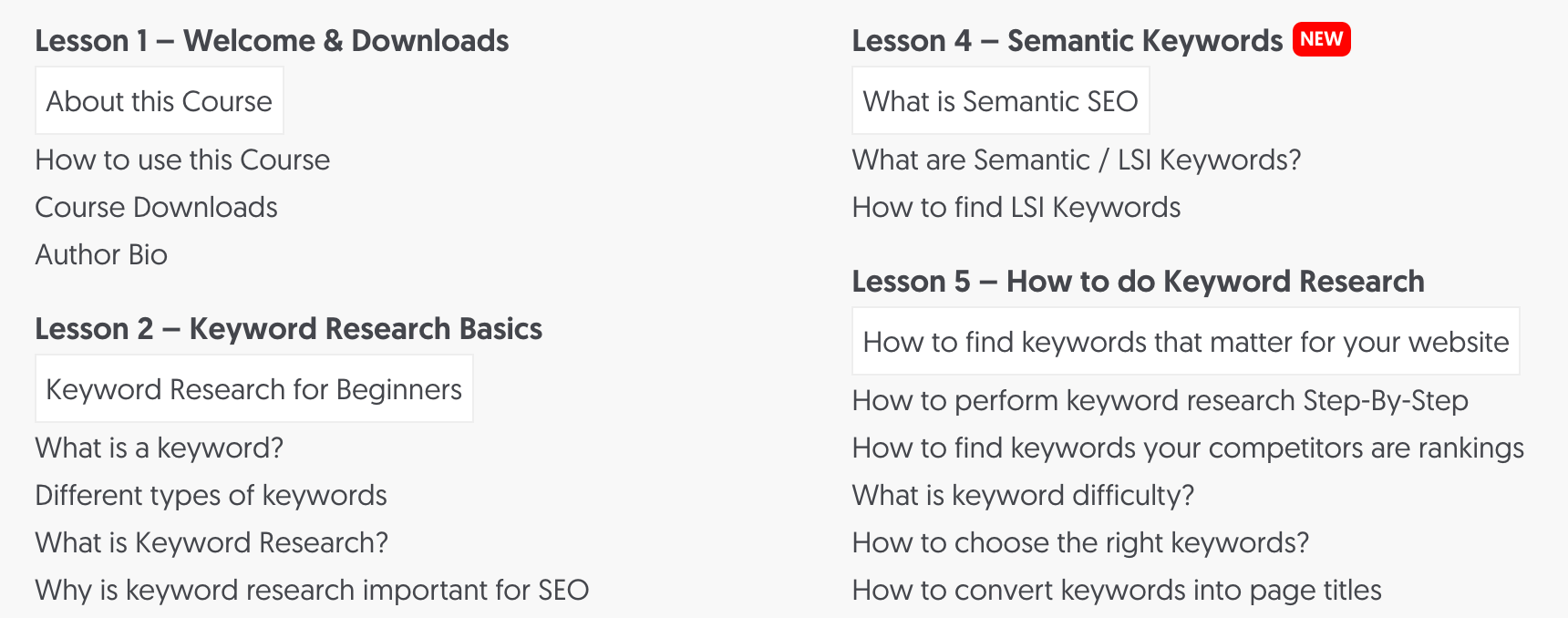
Other course providers follow the same procedure, so to take advantage of this, you can find online courses related to your niche and analyze the topics they cover.
Concentrate on best-selling courses and on courses that were recently updated. It is more likely that their topics may have changed due to user feedback.
Popular online course platforms to continue your content topic research are:
- Udemy
- LinkedIn Learning
- Coursera
- SkillShare
Resources to Learn More
- SEO Certification courses - a list of the best SEO courses that come with a certification.
- Digital Marketing courses - The best online courses on digital marketing.
12. Review Your Google Analytics Reports
You often don’t need to come up with entirely new content ideas, but it’s more efficient to expand your content on topics that already generate traffic.
There are many advantages to doing so. The most important are:
First, you know in advance how the particular topics perform in terms of rankings and conversions. So, by publishing more related (but not identical or too similar) content, you can increase your conversions.
Second, you already have authority on the topics/keywords for which you have high rankings, which makes it easier to rank for similar terms.
To find out content ideas using your existing content, you can use Google Analytics and Google Search Console (to be discussed in the next step).
Login to Google Analytics and navigate to the LANDING PAGE REPORT (under LifeCycle > Acquisition > Traffic Acquisition).
These are the sources that currently drive traffic to your website.
Click the + button and add a new column - "Landing Page + query string" to see the Landing page URLs for each traffic source.
Type 'Organic Search' in the filter to show only traffic from search engines (that’s organic traffic).
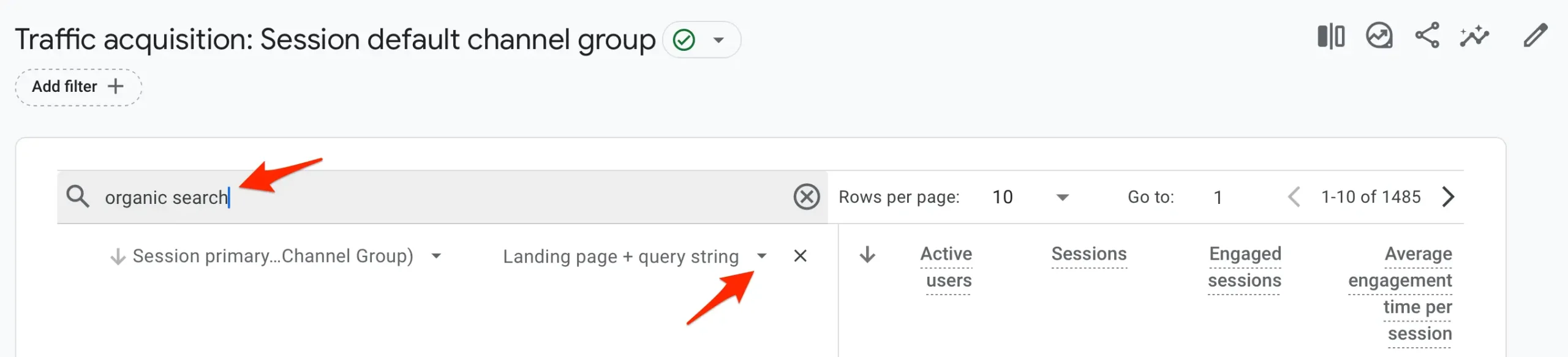
This will eliminate any traffic you get from social media networks that are not necessarily targeted and exclude paid search traffic.
Take your best-performing pages, go back to Semrush (or your chosen tool), and analyze each one.
You want to find out for which keywords this page is currently ranking, but most importantly, for which keywords it is ranking on the second and third pages of Google (positions 11-30).
Take those keywords (that appear in positions 11-30) and check that you don’t already have pages targeting those keywords on your site. If not, run them through Google search, Semrush, answer the Public, etc., to find the exact topic titles to target as new blogs.
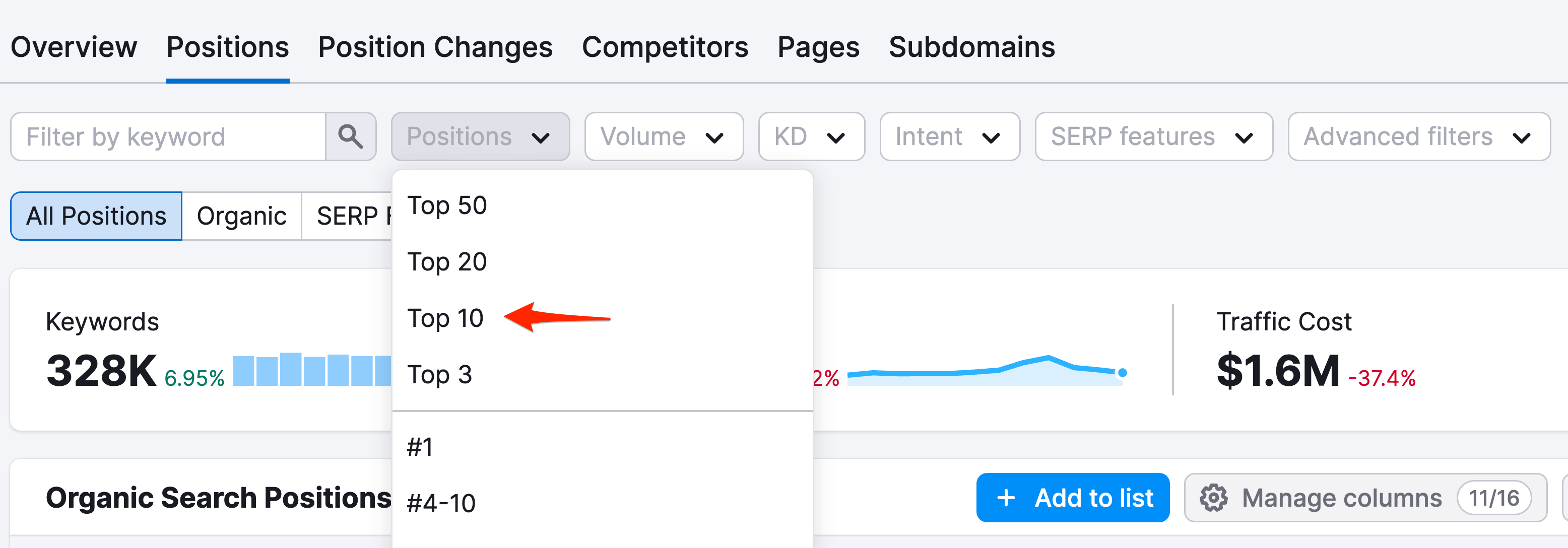
It may sound complicated, but it is not. The idea is to find keywords related to those you already rank highly and create content to target them.
Hint: Once you create your new content, make sure you link to it from your existing pages. This will help Google discover the new pages faster and pass ‘page rank’ from one page to another.
13. Use Google Search Console
Google Search Console is a free tool provided by Google to webmasters. It can, among other things, tell you which pages of your site are the most popular in Google search and for which queries.
The concept is similar to what we did with Google Analytics above. We will use Google Search Console to find the site's most popular pages and topics/keywords related to our top pages but not yet highly ranked.
Here is the process to follow:
Login to Google Search Console (if you don't have an account, register your website first) and click SEARCH RESULTS under PERFORMANCE (from the left menu).
Click the DATE filter on top and set the period to “Last 28 Days”.
Click on the PAGES tab.
This report shows your most popular pages on Google (in terms of Clicks) for the last 28 days.
Click on each of the pages one by one to narrow your results to the particular page.
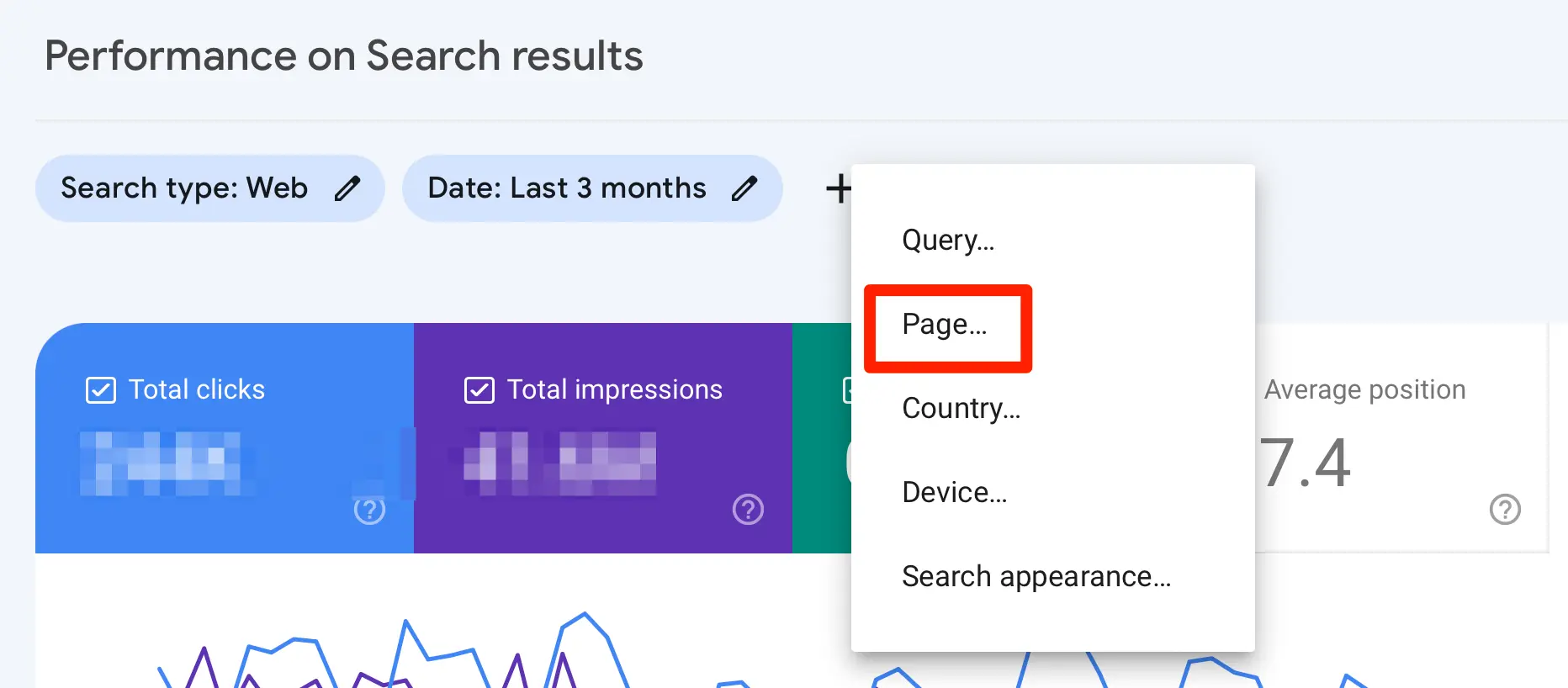
When viewing a single page, click on QUERIES. The report will now show you the search terms the page ranks for on Google.
If not already activated, click the AVERAGE POSITION tab (that’s the Orange Tab) to show the average position in the report.
Scroll down and spend some time analyzing the report. Use the navigation arrows to view more results and try to spot keywords that have some clicks but an average position of> 12 (in other words, they mostly appear on the second page of Google).
These are great topic ideas to target with new posts. Follow the same procedure as explained in the Google Analytics step above:
- Check that you don’t already have content targeting those keywords
- Create new content
- Add bi-directional internal links, i.e., from existing pages to new pages and from new pages to existing pages.
14. Try Ubersuggest
Another tool with a free version you can use for content marketing research is Ubersuggest.
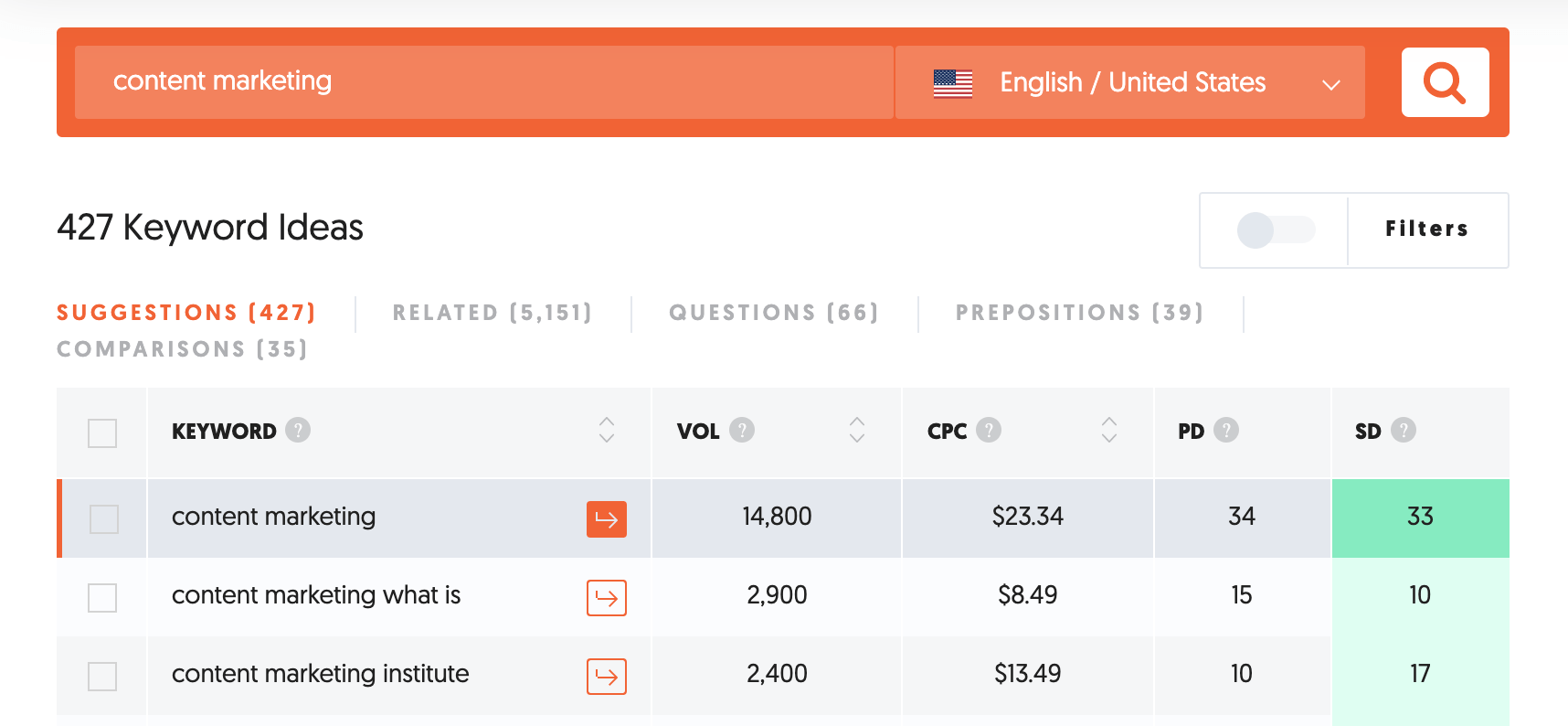
Go to Ubersuggest and type in a topic.
Select CONTENT IDEAS from the left Menu.
Spot topics that have ESTIMATED TRAFFIC and SOCIAL SHARES. This combination ensures that the chosen topics will generate traffic to your site and that it’s something that users like to share on social media.
You can also click on KEYWORDS IDEAS from the left menu and get a more detailed analysis similar to Semrush and Answer the Public.
15. Repurpose One Idea Into Many Formats
You don’t always need a new idea. A strong idea that worked in one format can work again in another.
For example, one blog post can become:
- A YouTube video or a short video for TikTok, Instagram Reels, or YouTube Shorts (see our video marketing guide)
- A carousel post for LinkedIn or Instagram
- A newsletter issue
- A thread of short posts, each covering one tip
- A podcast episode or a live session
It works the other way too: a question that gets a lot of comments on social media is a good sign that it deserves a full blog post.
Start with your best-performing content (the pages you found in your Google Analytics and Search Console reports above) and turn each one into at least two other formats.
16. Keep a Content Idea Bank
Good ideas often come at random moments: while reading a comment, answering a customer, or doing your own research. If you don’t write them down, you lose them.
Keep all your ideas in one place, such as a spreadsheet, a notes app, or a project management tool. For each idea, add:
- The working title
- The target keyword and the search volume, if you have checked it
- Where the idea came from (a comment, a report, a competitor)
- The formats it could work in (blog post, video, social post)
- Its status (idea, planned, published)
When it’s time to plan your content calendar, you’ll start with a full list instead of a blank page.
Key Learnings
You don’t need to overcomplicate content topic research. Most of the ideas you need come from three places:
- Your audience: Reddit, comments, communities, and the questions your customers ask.
- Search and AI tools: Google Search, YouTube, Google Trends, AI assistants, and a topic research tool.
- Your own data: Google Analytics and Google Search Console, plus the content you can repurpose.
Start with Google and YouTube searches and the conversations in your niche, use an AI tool to expand your list, then check the best ideas with a keyword or topic research tool. Keep everything in your content idea bank.
Create a list of topics that you don’t already target on your site and publish different types of content (articles, videos, social posts) to go after them.
Regularly review your Google Analytics and Google Search Console data to find new topics related to the ones you already rank for. Targeting these will help you increase your visibility on Google for related topics.